


Overview
During this TryHackMe room, I gained practical experience with Snort, a powerful open-source Intrusion Detection System (IDS) and Intrusion Prevention System (IPS). I explored Snort's various operational modes, including Sniffer, Packet Logger, IDS/IPS, and PCAP investigation. A significant portion of the exercises involved crafting and testing custom Snort rules to detect specific network patterns and anomalies. I learned to configure Snort, analyze its output, and interpret logs to identify malicious activities. This included tasks such as testing different configuration files, reading packet data from log files, and using Snort to investigate PCAP files. I also practiced creating rules based on IP IDs, TCP flags (SYN, PSH-ACK), and identifying UDP packets with identical source and destination IPs.
Key Skills Demonstrated
Understanding of IDS/IPS Concepts, Snort Installation and Configuration, Snort Operational Modes, Snort Rule Writing, Log Analysis
What is IDS?
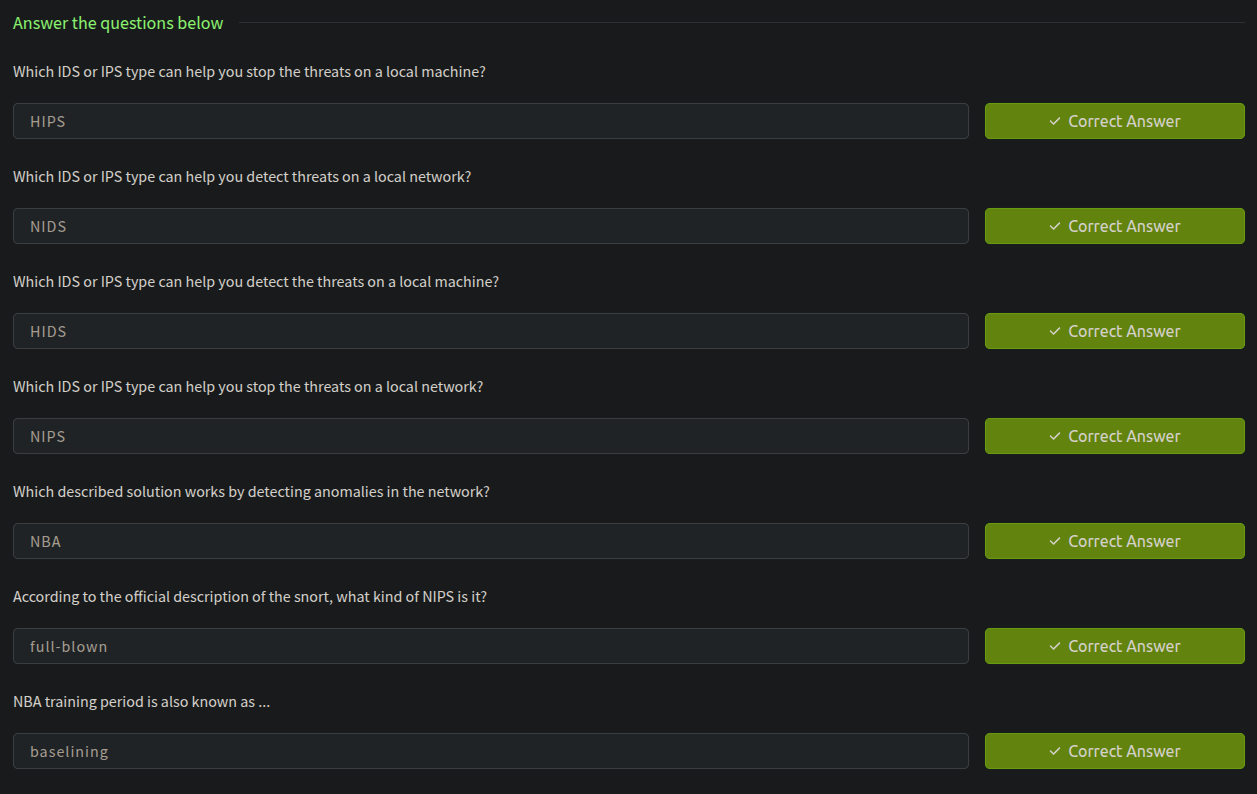
IDS : IDS is a passive monitoring solution for detecting possible malicious activities/patterns, abnormal incidents, and policy violations. It is responsible for generating alerts for each suspicious event.
There are two main types of IDS systems;
- Network Intrusion Detection System (
NIDS) - Host-based Intrusion Detection System (
HIDS)
What is IPS?
IPS : is an active protecting solution for preventing possible malicious activities/patterns, abnormal incidents, and policy violations. It is responsible for stopping/preventing/terminating the suspicious event as soon as the detection is performed.
There are four main types of IPS systems;
- Network Intrusion Prevention System (
NIPS) - Behaviour-based Intrusion Prevention System (Network Behaviour Analysis -
NBA)- The difference between
NIPSand Behaviour-based is that behaviour based systems require a training period (also known as "baselining") to learn the normal traffic and differentiate the malicious traffic and threats.
- The difference between
- Wireless Intrusion Prevention System (
WIPS) - Host-based Intrusion Prevention System (
HIPS)
HIPS working mechanism is similar to HIDS. The difference between them is that while HIDS creates alerts for threats, HIPS stops the threats by terminating the connection.
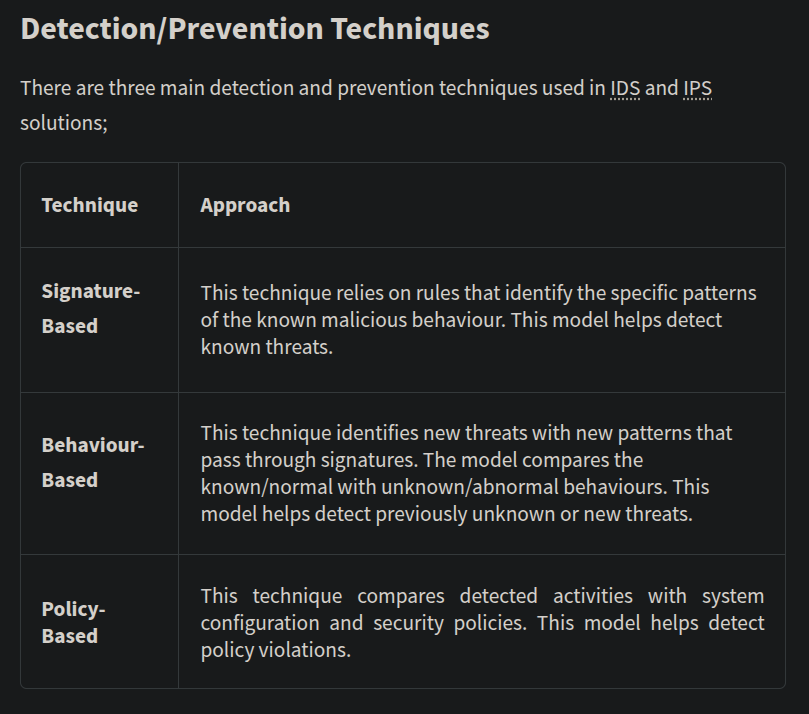
Detection and Prevention Techniques
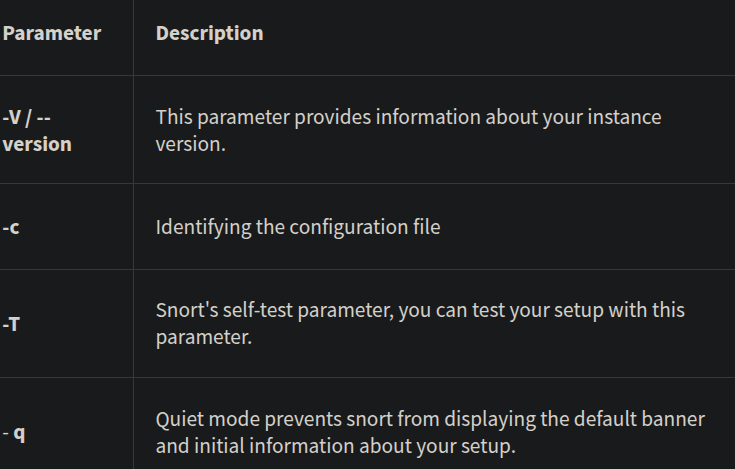
Basic Parameters for Snort
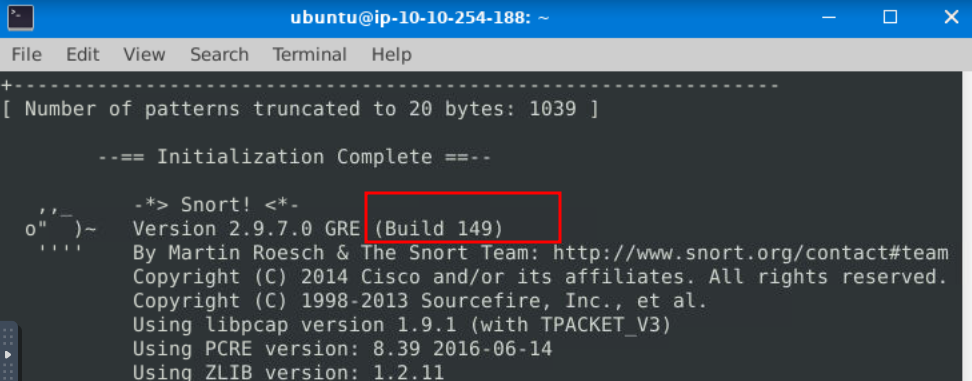
Run the Snort instance and check the build number?

Here "-T" is used for testing configuration, and "-c" is identifying the configuration file (snort.conf). Note that it is possible to use an additional configuration file by pointing it with "-c". After running the command we can see that the build number is 149
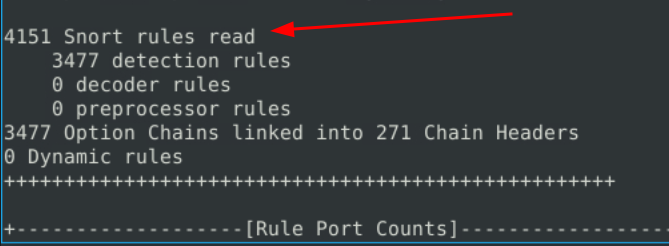
Test the current instance with "/etc/snort/snort.conf" file and check how many rules are loaded with the current build?
In the same output it can be seen.
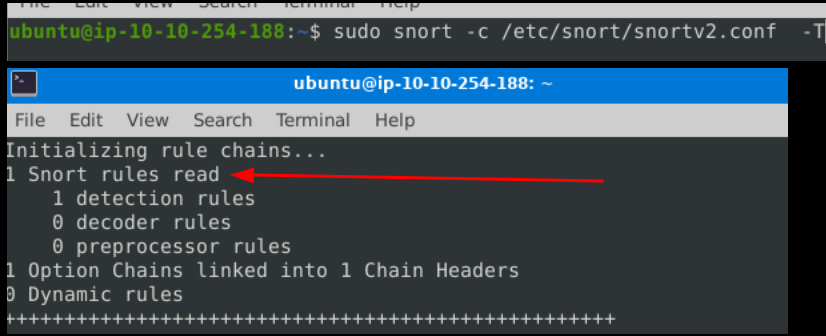
Test the current instance with "/etc/snort/snortv2.conf" file and check how many rules are loaded with the current build?
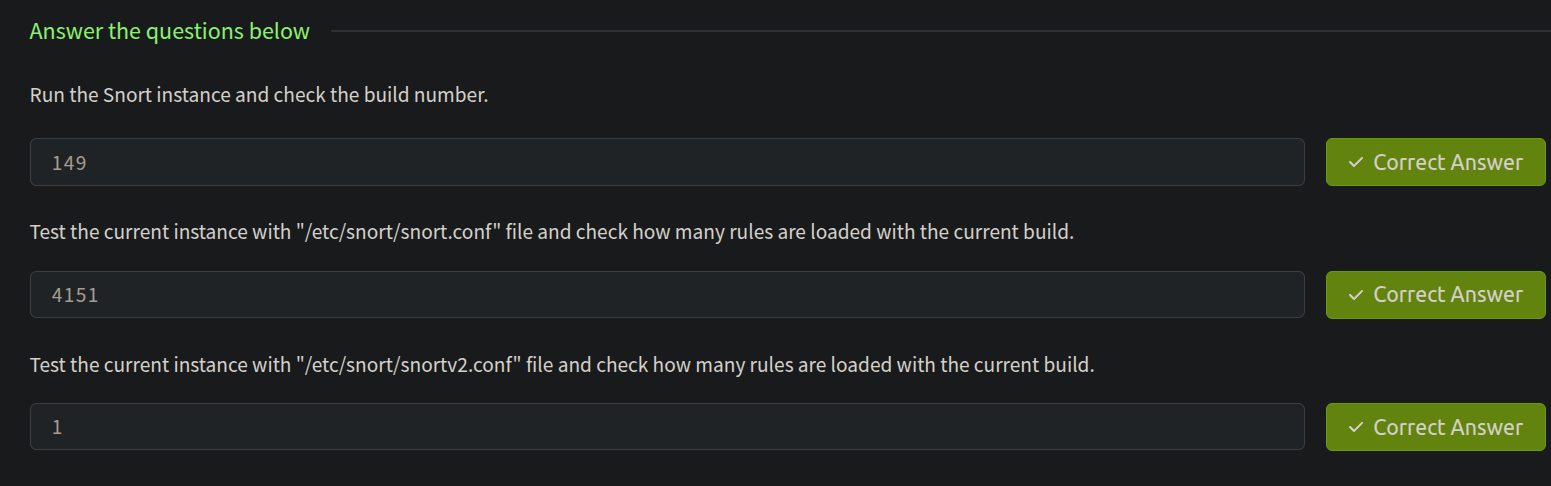
All answers for this task
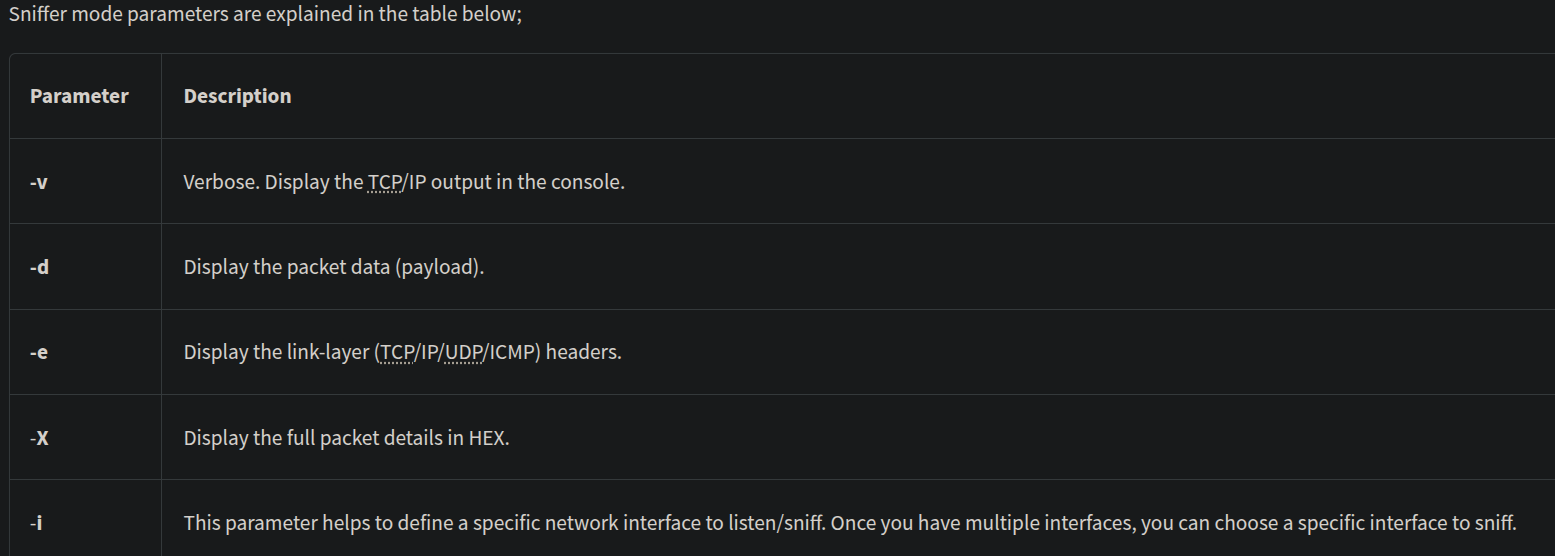
Operation Mode 1: Sniffer Mode
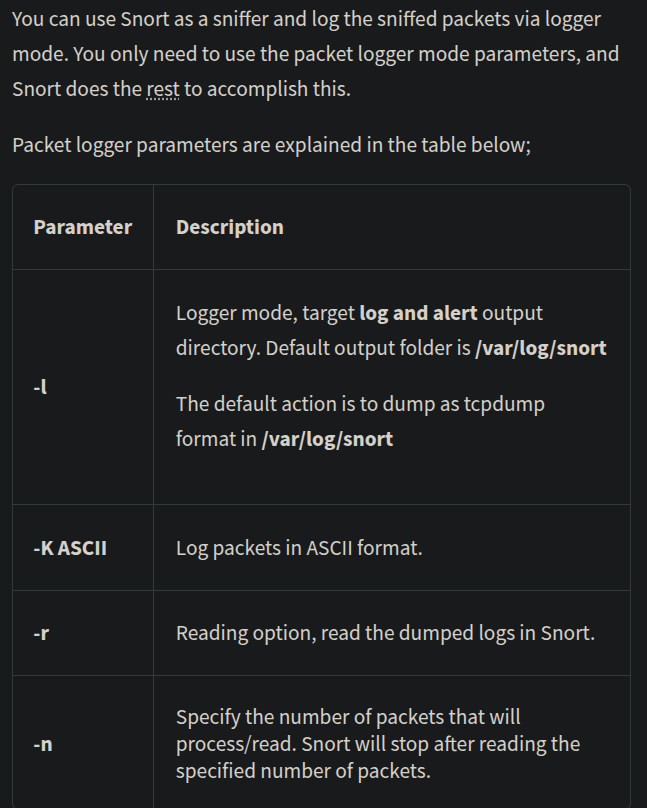
Operation Mode 2: Packet Logger Mode
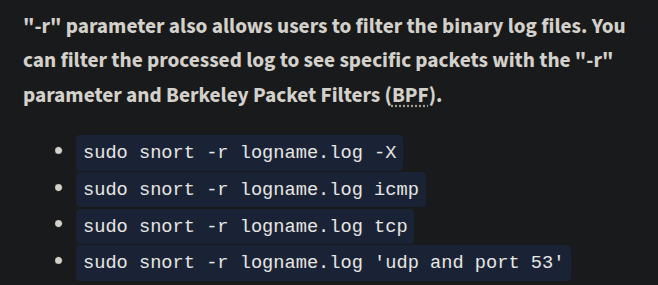
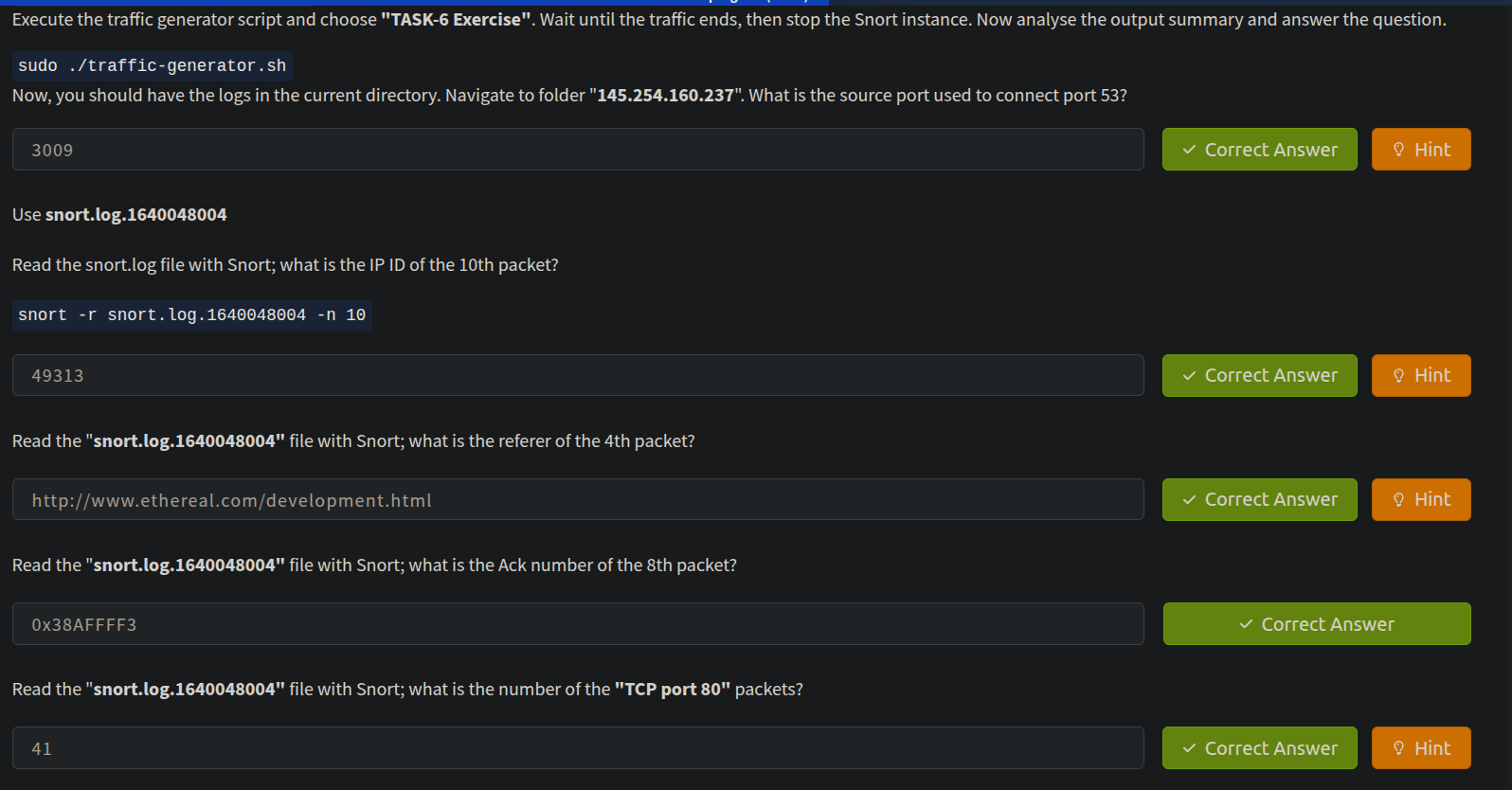
Now, you should have the logs in the current directory. Navigate to folder "145.254.160.237". What is the source port used to connect port 53?

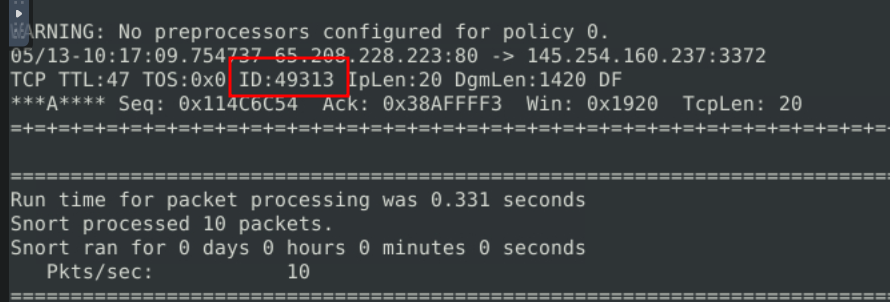
Use snort.log.1640048004 to read the snort.log file with Snort; what is the IP ID of the 10th packet? (snort -r snort.log.1640048004 -n 10)
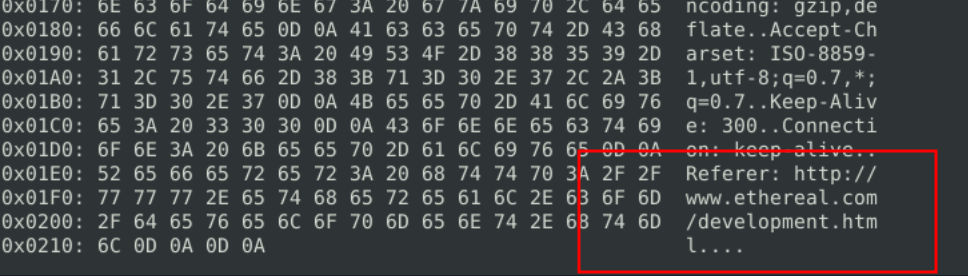
Read the "snort.log.1640048004" file with Snort; what is the referer of the 4th packet? (sudo snort -r snort.log.1640048004 -n 4 -X)
Read the "snort.log.1640048004" file with Snort; what is the Ack number of the 8th packet? (sudo snort -r snort.log.1640048004 -n 8 -e)

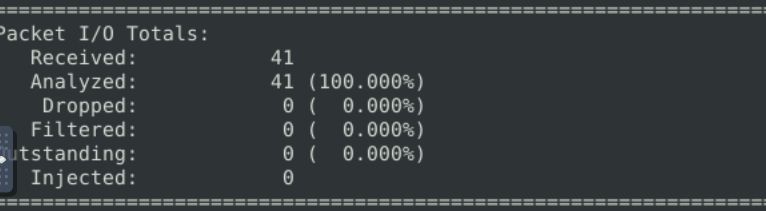
Read the "snort.log.1640048004" file with Snort; what is the number of the "TCP port 80" packets? (sudo snort -r snort.log.1640048004 tcp)
All answers for this task
Operation Mode 3: IDS/IPS

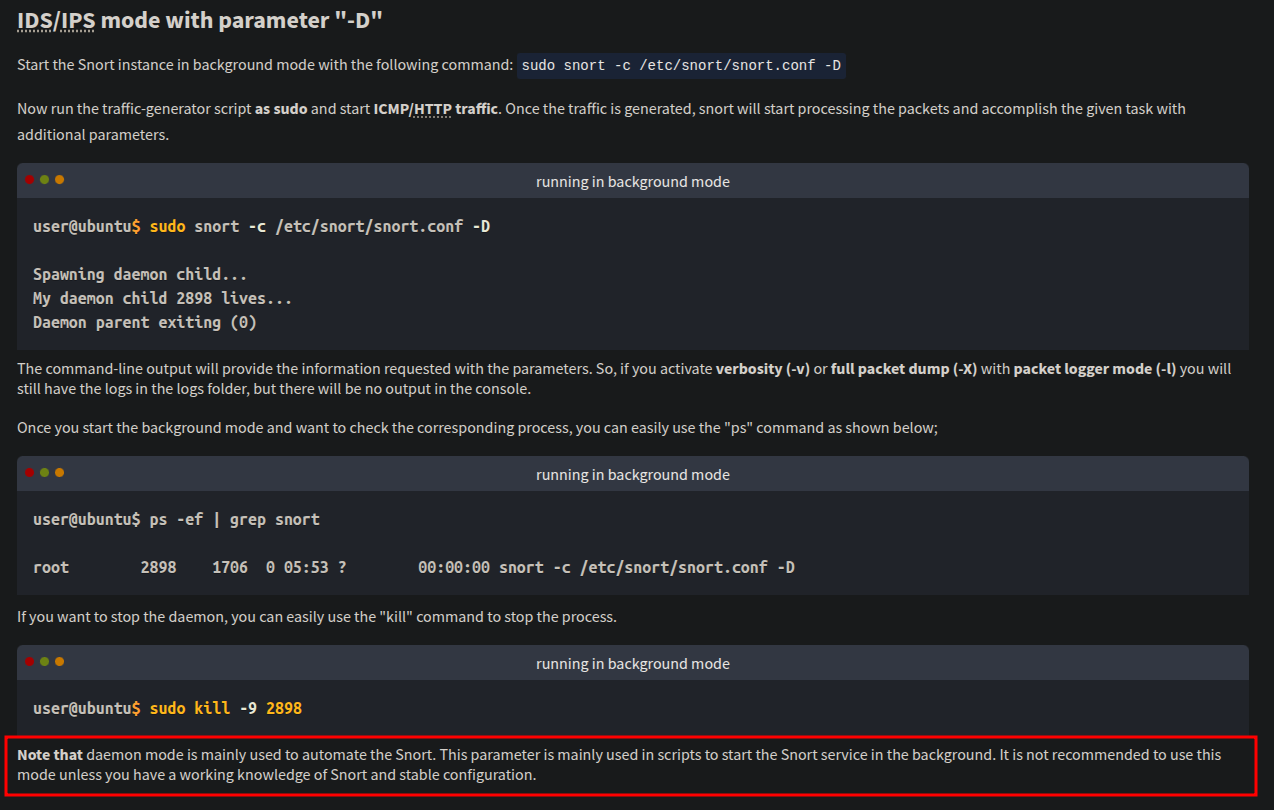
IPS mode and dropping packets
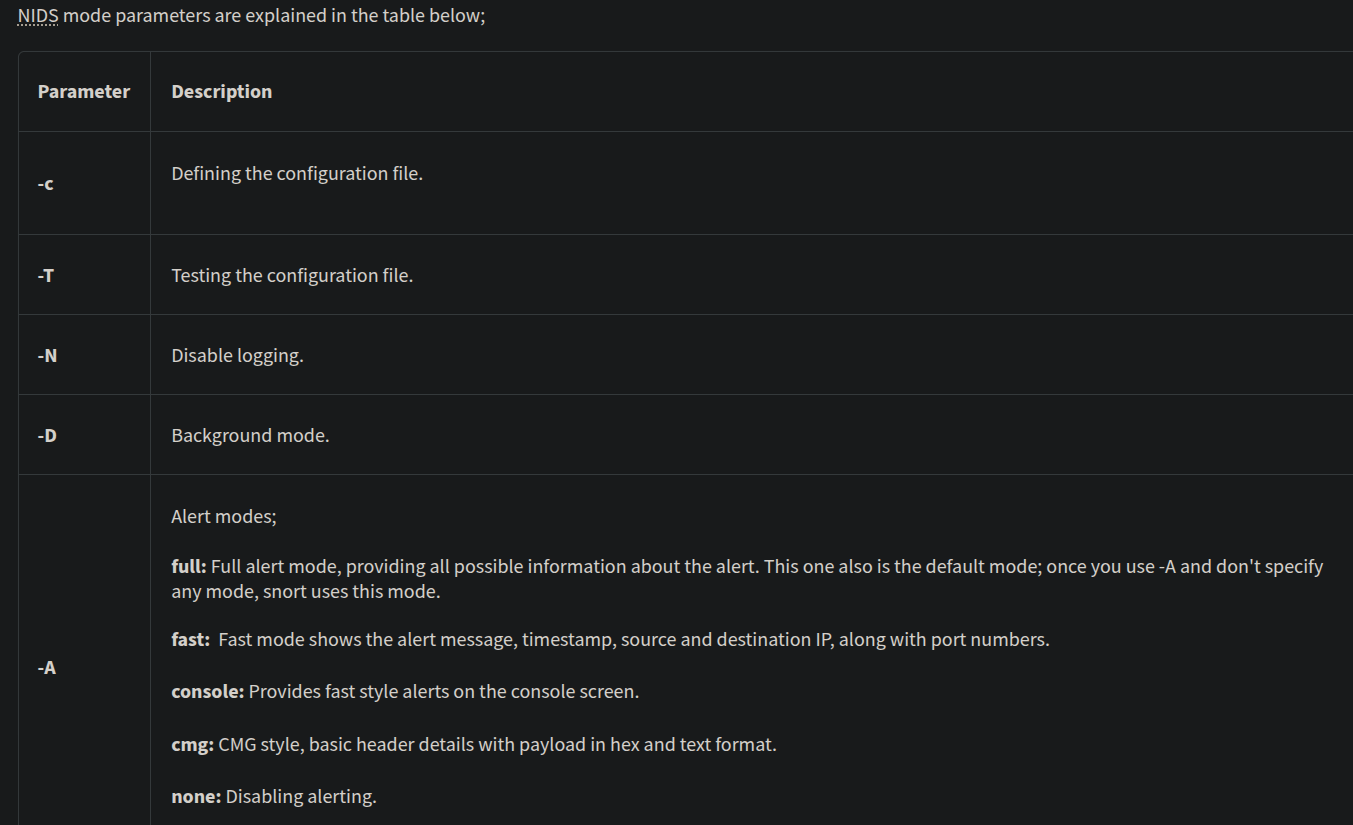
Snort IPS mode activated with -Q --daq afpacket parameters.
Activate the Data Acquisition (DAQ) modules and use the afpacket module to use snort as an IPS:
-i eth0:eth1task7->- start the sniffer :
sudo snort -c /etc/snort/snort.conf -A full -l .- start the attack/traffic generator
task7 - after the attack finished terminate the sniff (
crtl+c)
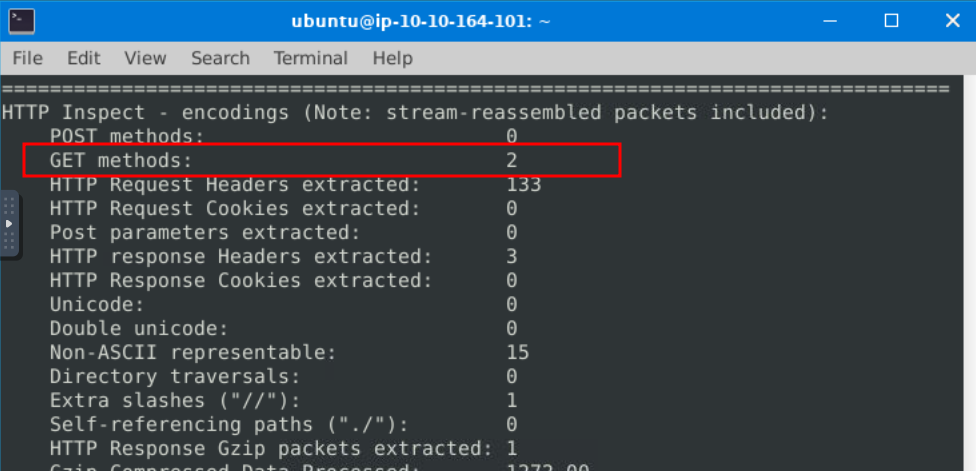
What is the number of the detected HTTP GET methods?
Operation Mode 4: PCAP Investigation
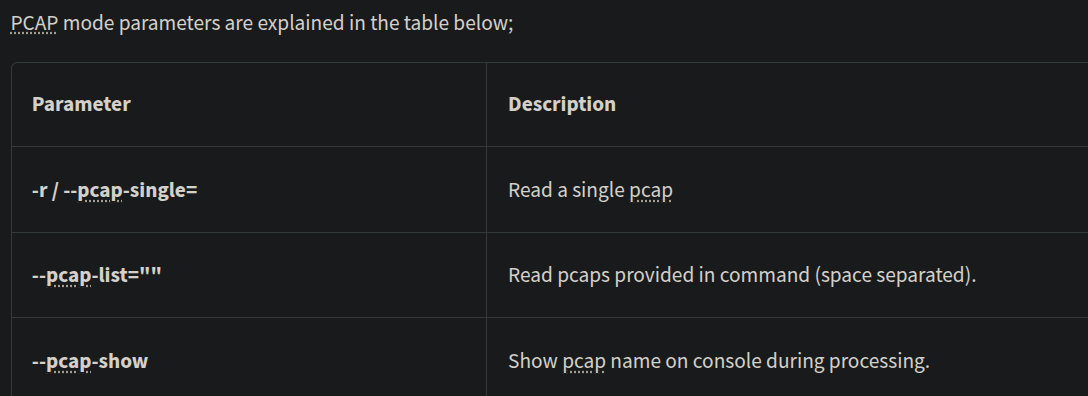
Investigate the mx-1.pcap file with the default configuration file.
sudo snort -c /etc/snort/snort.conf -A full -l . -r mx-1.pcap
What is the number of the generated alerts? Keep reading the output. How many TCP Segments are Queued? (170 and 18)

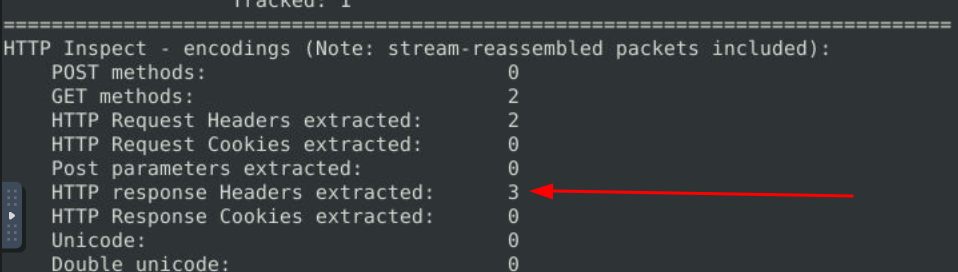
Keep reading the output.How many "HTTP response headers" were extracted?
Investigate the mx-1.pcap file with the second configuration file.
sudo snort -c /etc/snort/snortv2.conf -A full -l . -r mx-1.pcap
What is the number of the generated alerts?

Investigate the mx-2.pcap file with the default configuration file.
sudo snort -c /etc/snort/snort.conf -A full -l . -r mx-2.pcap
What is the number of the generated alerts?

Keep reading the output. What is the number of the detected TCP packets?
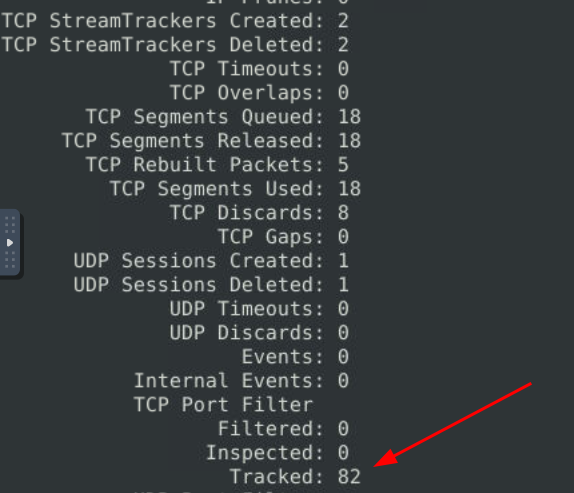
Investigate the mx-2.pcap and mx-3.pcap files with the default configuration file.
sudo snort -c /etc/snort/snort.conf -A full -l . --pcap-list="mx-2.pcap mx-3.pcap"
What is the number of the generated alerts?

Snort Rule Structure
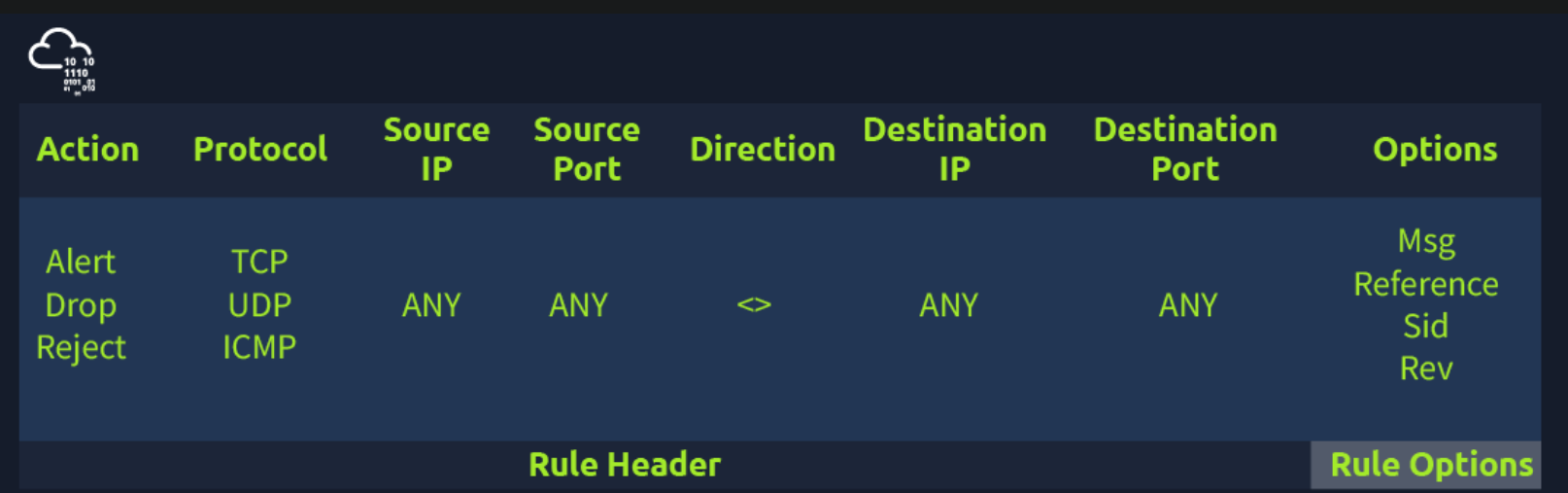
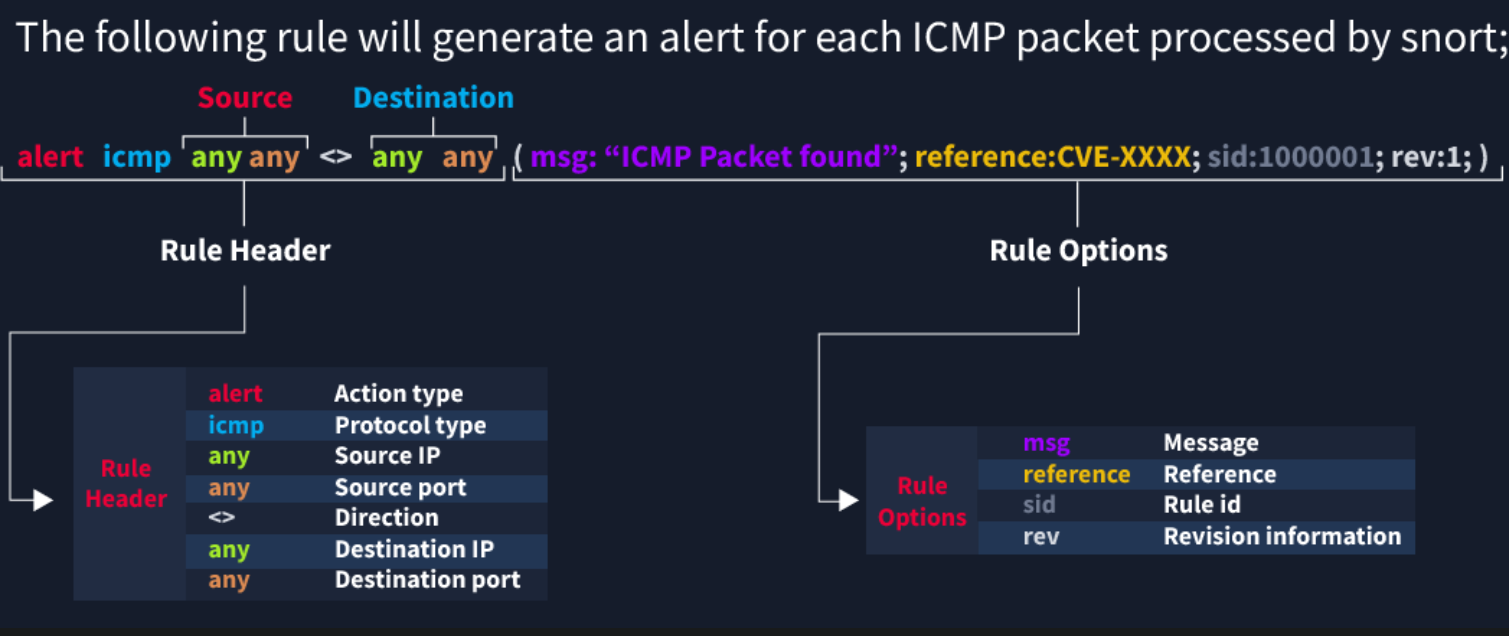
Remember, Snort is in passive mode by default. So most of the time, you will use Snort as an IDS. You will need to start "inline mode" to turn on IPS mode.
Rule Options
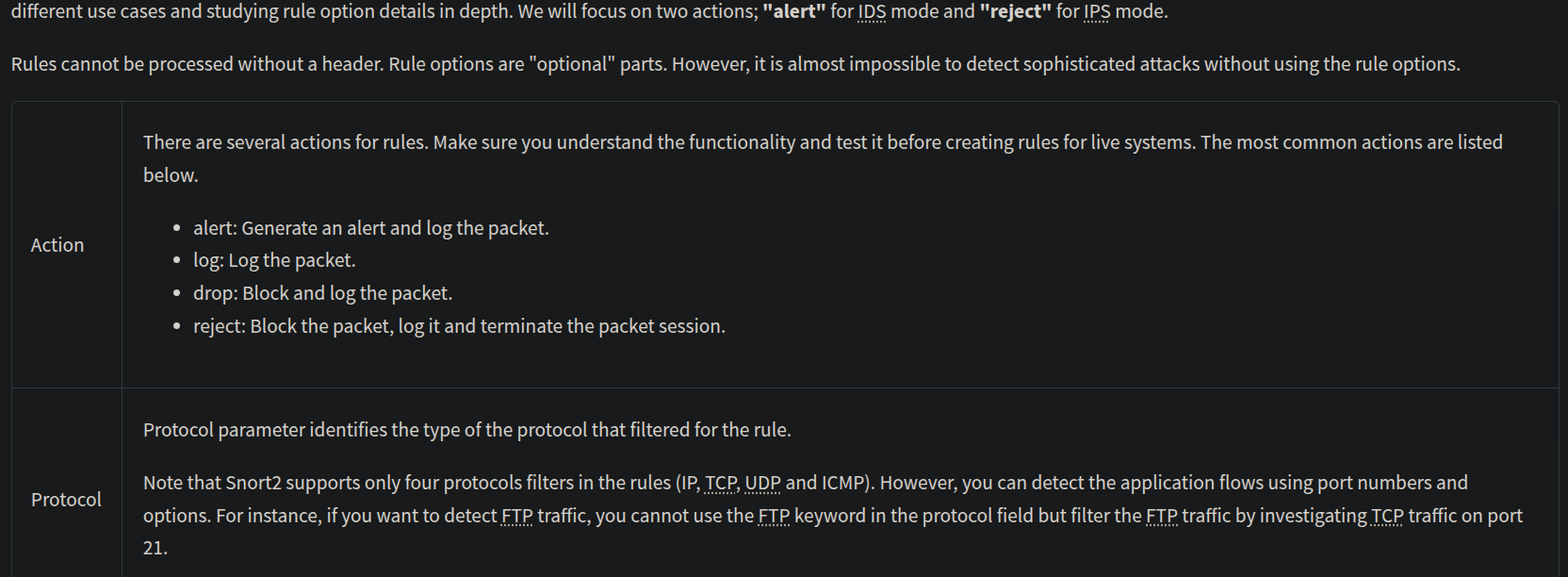
IP and Port Numbers
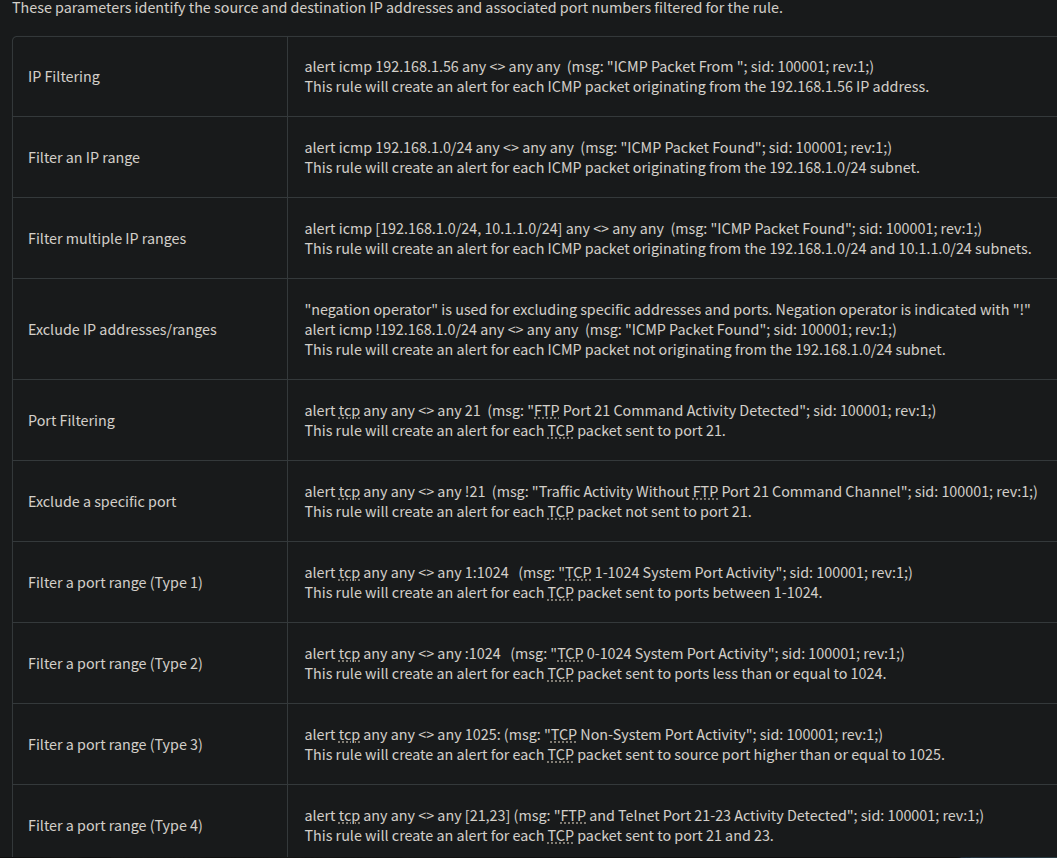
Direction
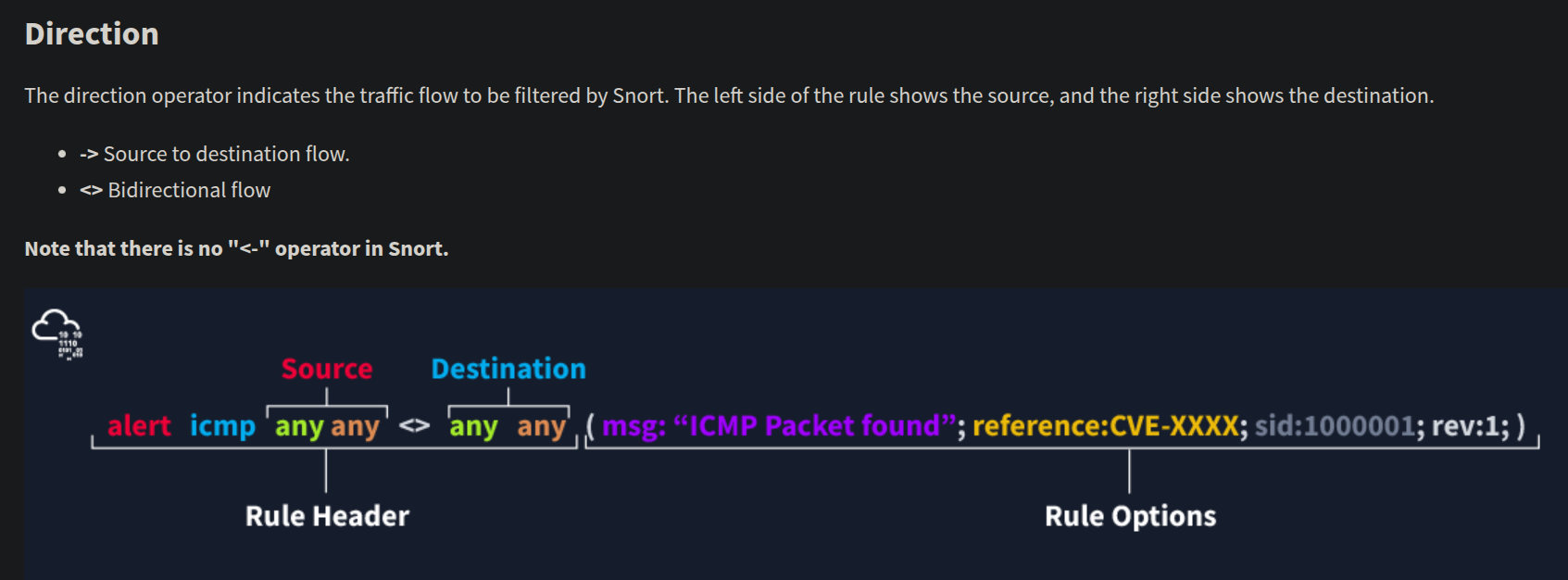
There are three main rule options in Snort;
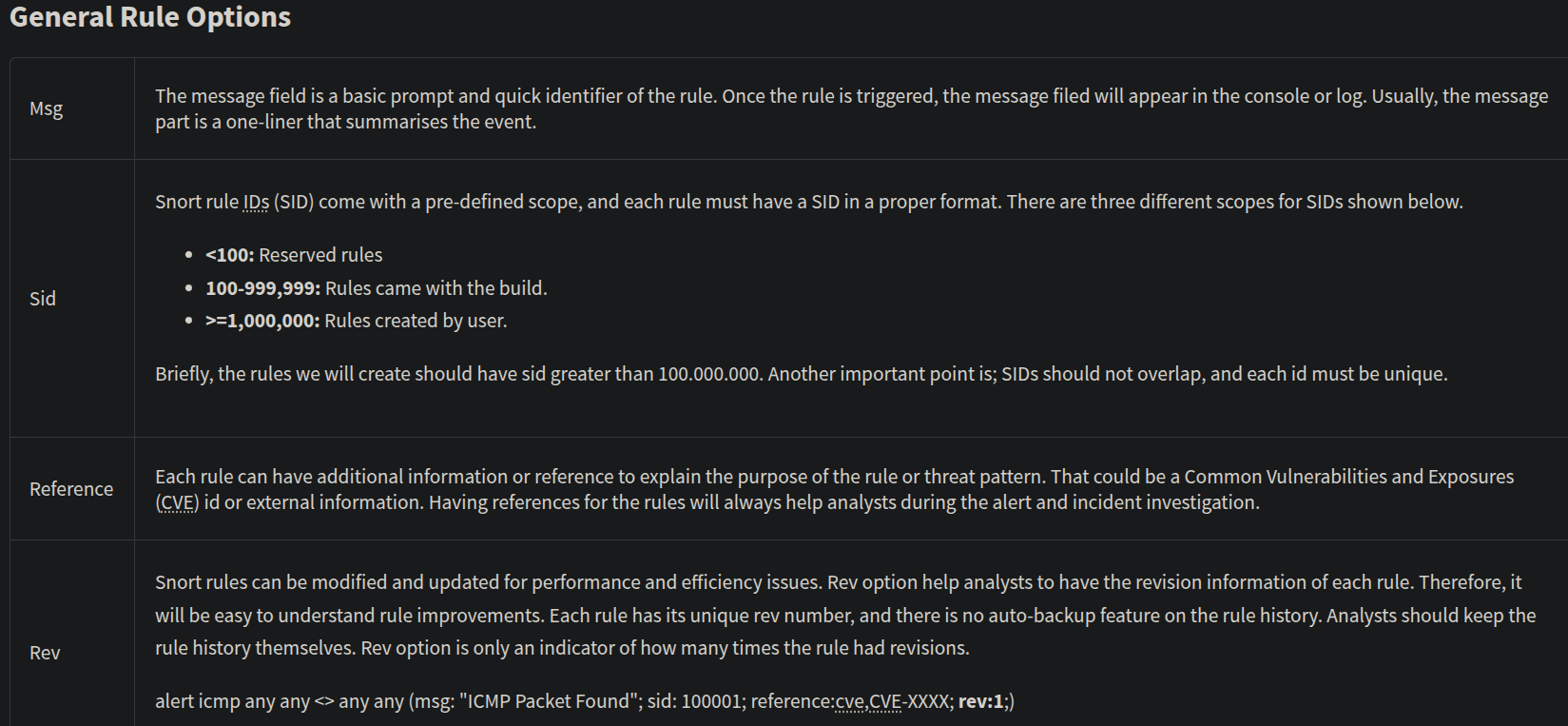
- General Rule Options - Fundamental rule options for
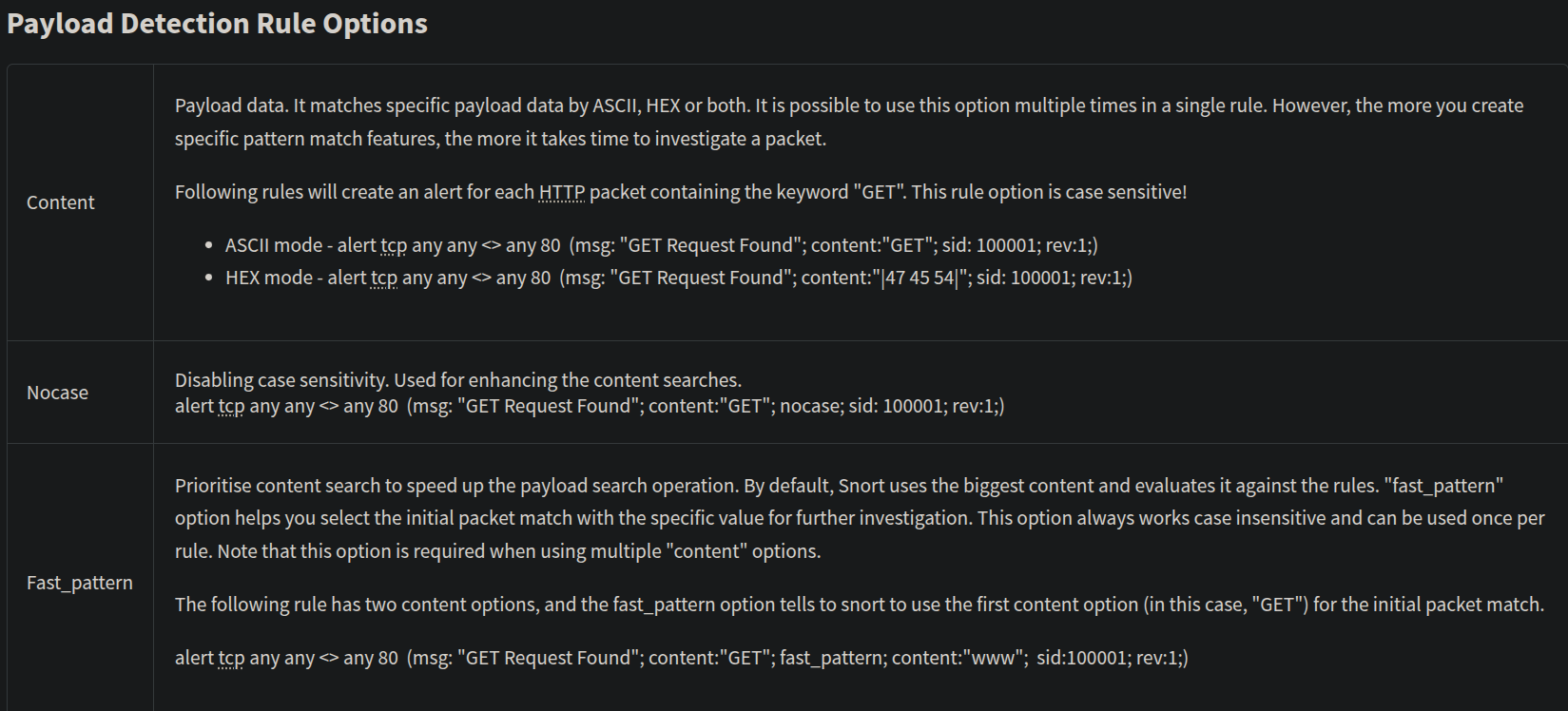
Snort. - Payload Rule Options - Rule options that help to investigate the payload data. These options are helpful to detect specific payload patterns.
- Non-Payload Rule Options - Rule options that focus on non-payload data. These options will help create specific patterns and identify network issues.
General
Payload
Non-Payload
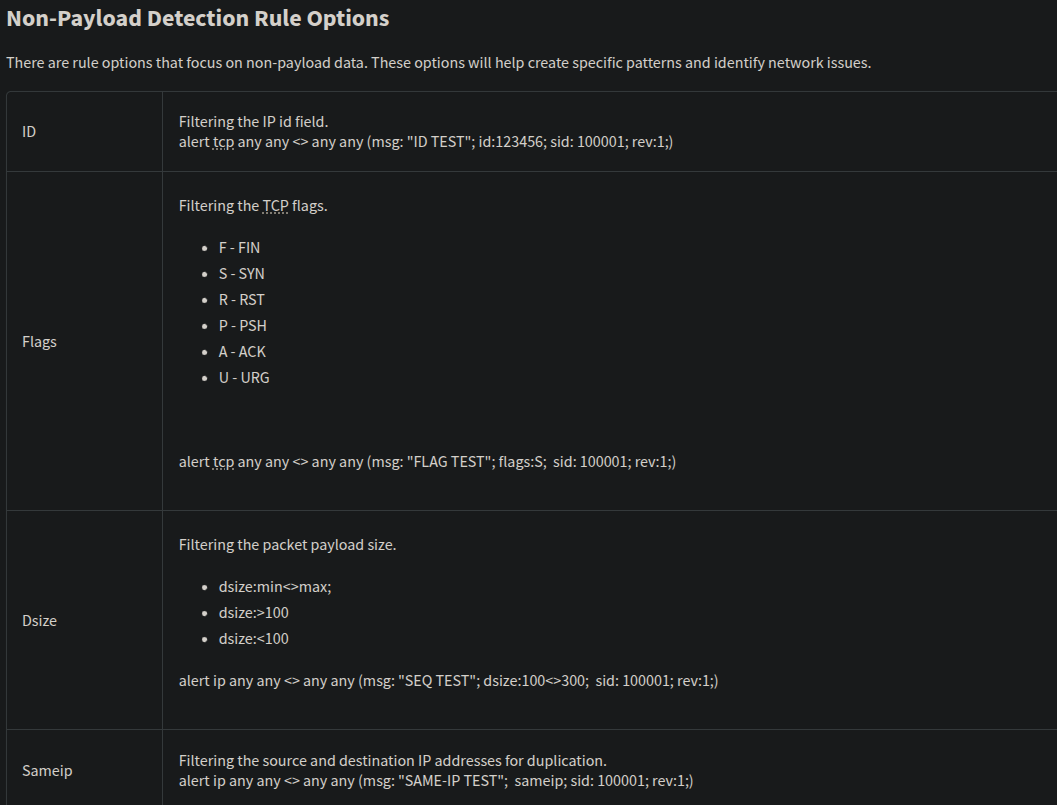
Remember, once you create a rule, it is a local rule and should be in your "local.rules" file. This file is located under "/etc/snort/rules/local.rules".
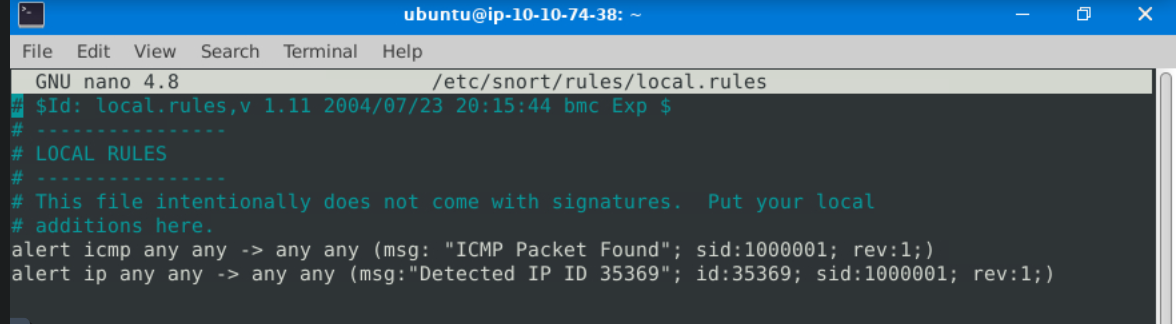
sudo nano /etc/snort/rules/local.rules
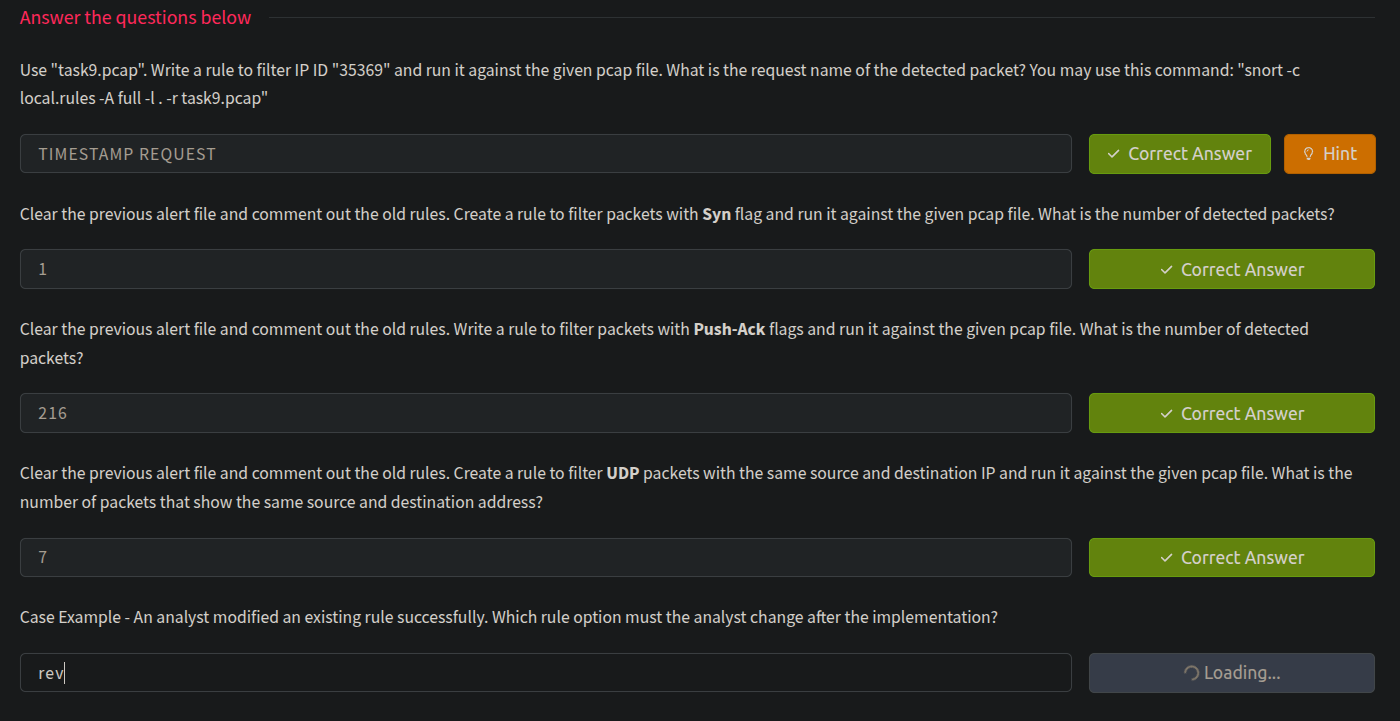
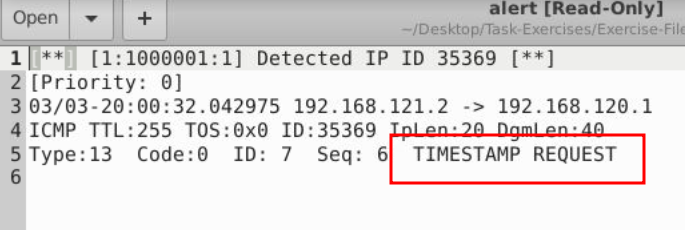
Use "task9.pcap". Write a rule to filter IP ID "35369" and run it against the given pcap file. What is the request name of the detected packet? You may use this command: "snort -c local.rules -A full -l . -r task9.pcap"
The rule has to be = alert ip any any -> any any (msg:"Detected IP ID 35369"; id:35369; sid:1000001; rev:1;)
snort -c local.rules -A full -l . -r task9.pcap
alert.txt file created in the same path
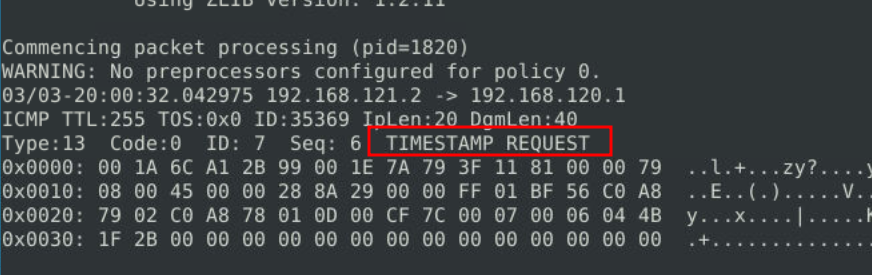
It also could be seen with sudo snort -r snort.log.1748778710 -X
Clear the previous alert file and comment out the old rules. Create a rule to filter packets with Syn flag and run it against the given pcap file. What is the number of detected packets?
The rule has to be = alert tcp any any -> any any (msg:"SYN Flag Detected"; flags:S; sid:1000002; rev:1;)
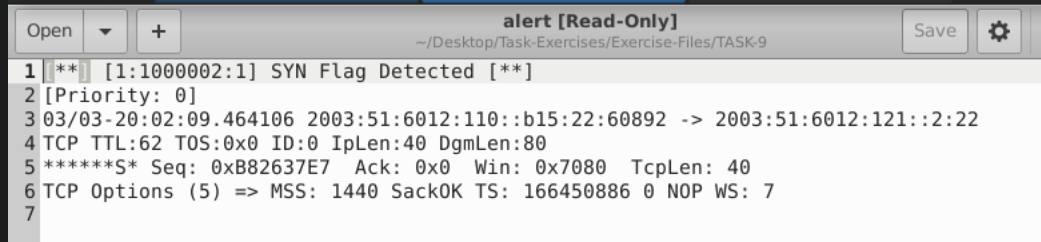
Clear the previous alert file and comment out the old rules. Write a rule to filter packets with Push-Ack flags and run it against the given pcap file. What is the number of detected packets?
The rule has to be = alert tcp any any -> any any (msg:"PSH-ACK Flag Combination Detected"; flags:PA; sid:1000003; rev:1;)
It's easy to check from log file generated : sudo snort -r snort.log.1748779533 -X
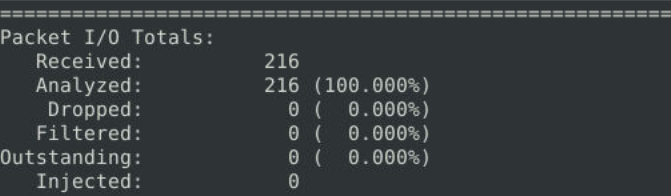
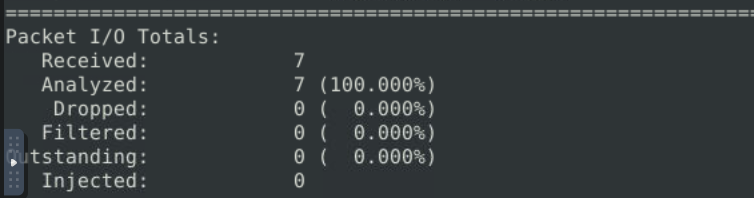
Clear the previous alert file and comment out the old rules. Create a rule to filter UDP packets with the same source and destination IP and run it against the given pcap file. What is the number of packets that show the same source and destination address?
The rule has to be = alert udp any any <> any any (msg:"UDP Packet with Same Source/Dest IP"; sameip; sid:1000004; rev:1;)
sudo snort -r snort.log.1748780315 -X
All the answers for this task